
Building parts
Undo and Redo
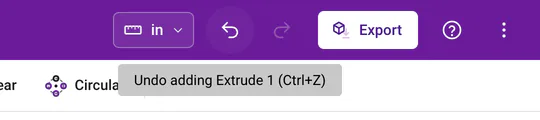
Undo in the True Robotics Design Playground takes back your last change, and Redo puts it back. Press Ctrl+Z to undo and Ctrl+Y to redo, or Cmd+Z and Cmd+Shift+Z on a Mac, or click the curved arrows in the purple bar. Hover over an arrow to see exactly which step it will undo, such as Undo adding Extrude 1.
| Keys | What it does |
|---|---|
| Ctrl+Z | Undo |
| Ctrl+Y or Ctrl+Shift+Z | Redo |
On a Mac, use Cmd wherever this page says Ctrl.
What can I undo?#
- In a Basic project, every shape you add, move, resize, turn, color, group, ungroup, align, mirror, duplicate or delete.
- Adding, editing and deleting sketches and extrudes.
- Renaming features, parts and the project.
- Hiding and showing sketches and parts.
- Suppressing and unsuppressing features.
- Changing units.
Each of these is one step, and the app keeps up to 100 of them. Hiding a plane is just a view setting, so it is not an undo step.
How does undo work inside a sketch?#
While you sketch, undo works one sketch step at a time: each shape, each line segment, each dimension, each constraint and each drag. The arrows in the purple bar and the Undo and Redo buttons at the end of the sketch toolbar both work on these steps. When you finish the sketch, the whole sketch becomes one step in your project, like adding Sketch 1.
Why is the undo arrow gray?#
Either there is nothing to undo yet, or a feature like Extrude or Mirror is open in the left panel, or the Sketch panel is still waiting for you to pick a plane. Finish it with the green check or cancel it with the red X (or Esc), and undo comes back.
Does undo work after I close the project?#
Your project saves everything, but the undo list starts fresh each time you open it. To try a risky idea without losing your current design, suppress a feature instead of deleting it, or download a copy first from the three dots menu.
Tip: Deleted something by accident?
Press Ctrl+Z (Cmd+Z on a Mac) right away. The feature comes back exactly as it was, along with everything that used it.
Undo means you can experiment freely. Try things, and if you don't like them, just take them back!