
Assemblies
Assemblies: Put Your Parts Together
An assembly in the True Robotics Design Playground puts parts together and shows how they move. Click New Assembly, insert parts you made and STL files, then join them with mates, like a Revolute mate that lets a wheel spin on its axle. Drag a part to test it, explode the view, and export the whole assembly as STL or STEP.
What is an assembly?#
A part is one object, like a wheel or a bracket. An assembly is a whole build made from parts: a robot plate with standoffs, a wheel on an axle, a sensor in its mount. You bring parts in, then connect them with mates, which say how each part may move. A Fastened mate locks two parts together, and a Revolute mate lets a wheel spin. It is the same idea professional CAD programs like Onshape use, so students learn real engineering habits from the start.
- Parts can be Basic or Standard projects you made, from your saved projects or from
.trdesignfiles on your computer. - STL files from anywhere, like a motor or a battery holder from a parts website, come in too.
- You can insert several copies of the same part, like four standoffs.
How do I start a new assembly?#
Click New Assembly On the home screen, click New Assembly (or press A). It opens right away as My Assembly, in inches.
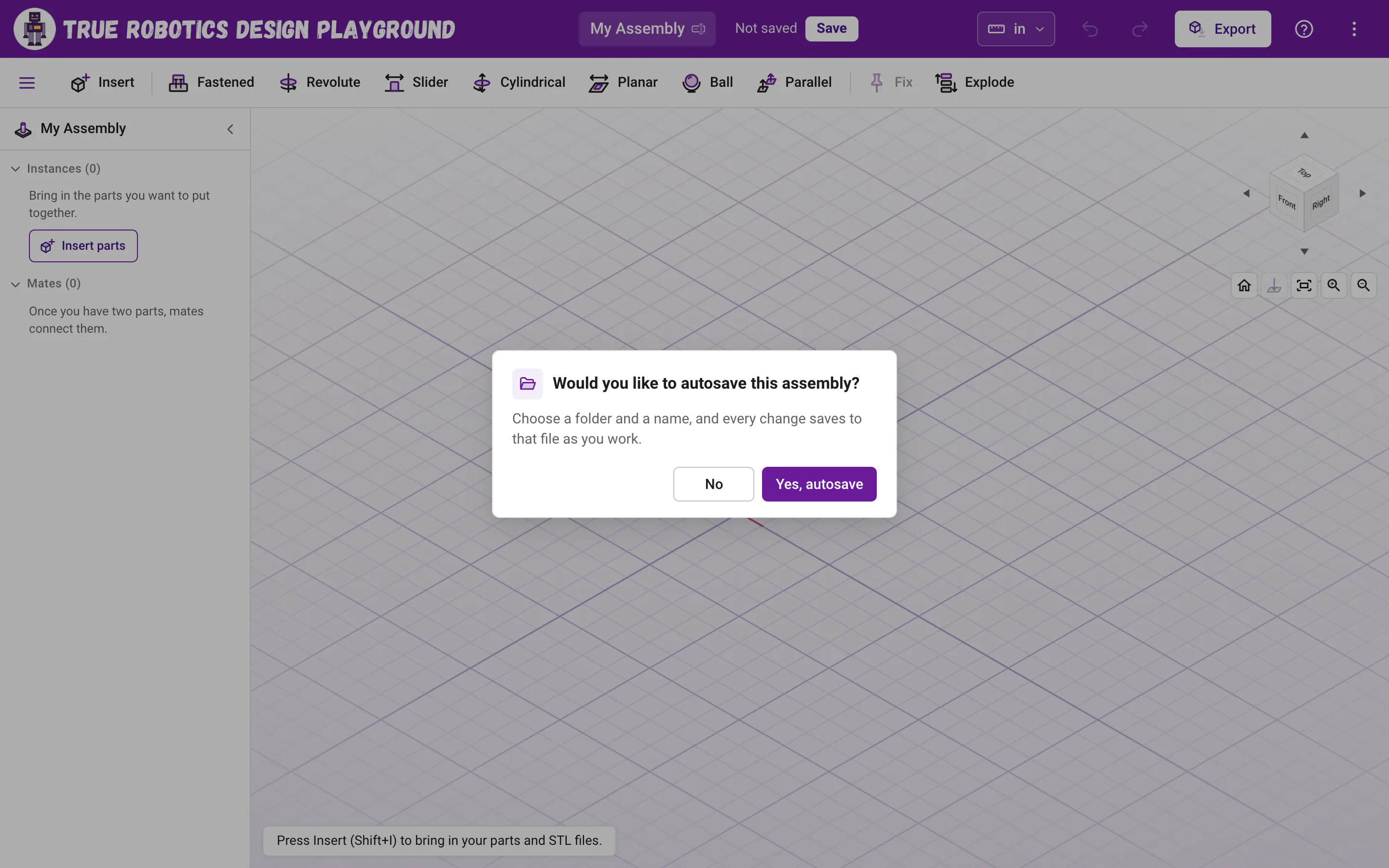
Answer the autosave question A small window asks Would you like to autosave this assembly? Click Yes, autosave, pick a folder and type a name like
Robot Base. That name becomes the assembly's name, and every change saves toRobot Base.trassembly. Click No to start without saving, and save whenever you are ready.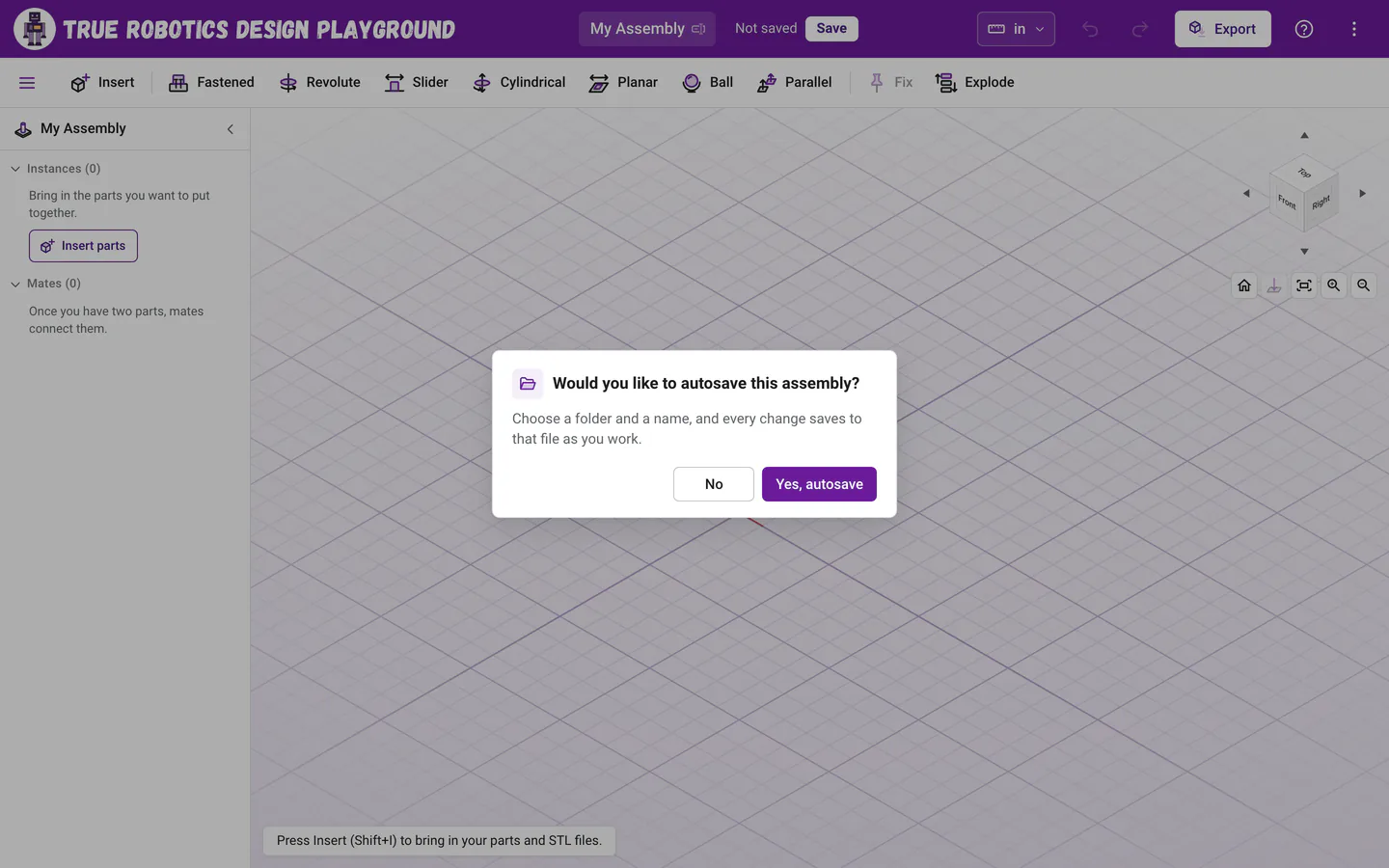
New Assembly opens right away and asks about autosave, just like a new part. Insert your parts Click Insert in the toolbar (or press Shift+I) and pick the parts you want. Insert parts shows every way to bring them in.
Add mates Click a mate in the toolbar, then a spot on each of two parts. Mates explains all seven.
What is on the screen?#
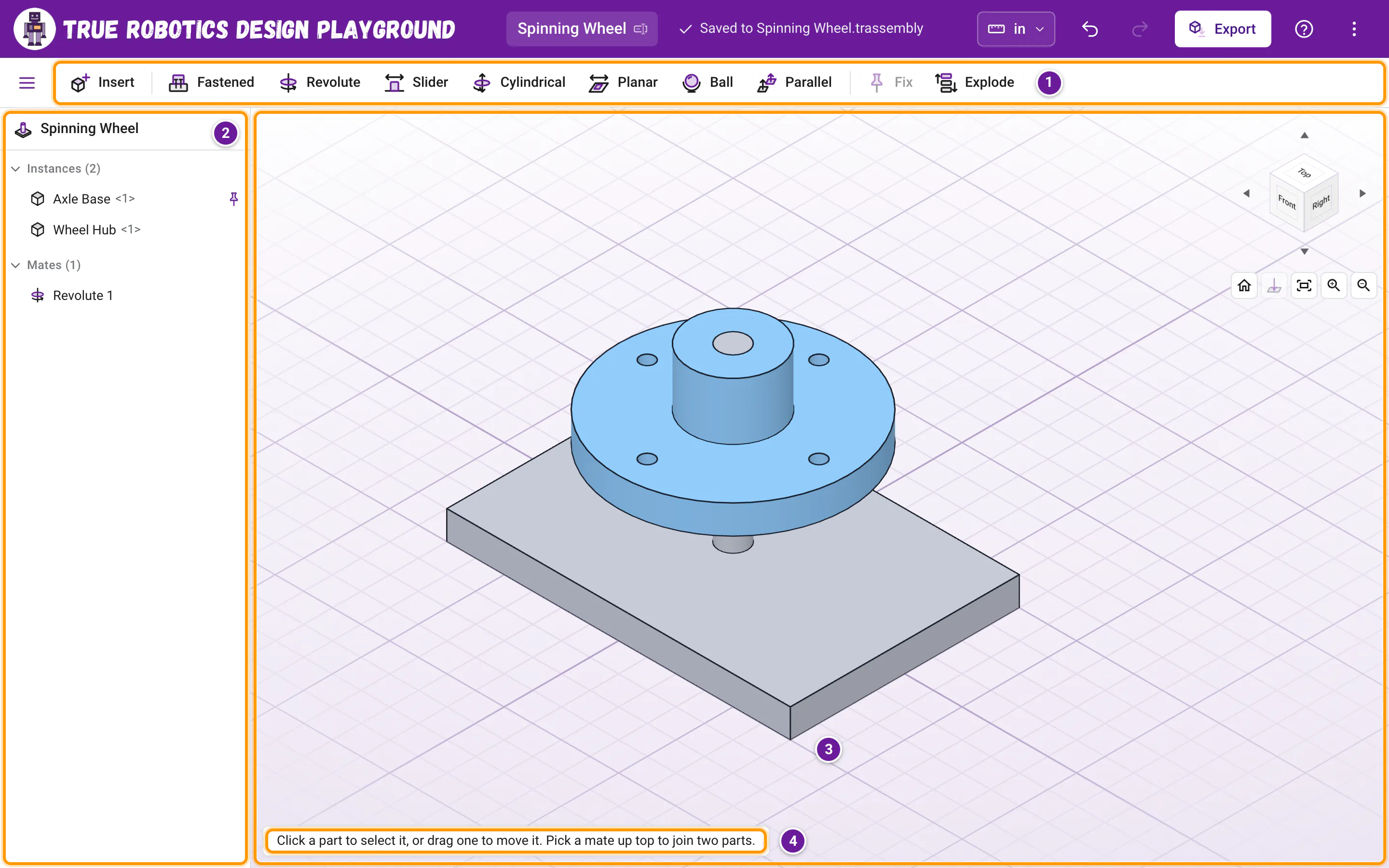
- The toolbar: Insert, the seven mates (Fastened, Revolute, Slider, Cylindrical, Planar, Ball and Parallel), Fix and Explode. Point at any button to see what it does and its shortcut.
- The list on the left: the assembly's name, then Instances (every part copy, like
Wheel Hub <1>) and Mates. Each part file gets its own color in the view, so copies of one part match, and a part you painted with Color shows your colors instead. The button at the far left of the toolbar, or Ctrl+B, folds the list away for more room. - The view: your parts in 3D, with the same view cube and buttons as a part.
- The hint at the bottom of the view: what to do next, in a few friendly words.
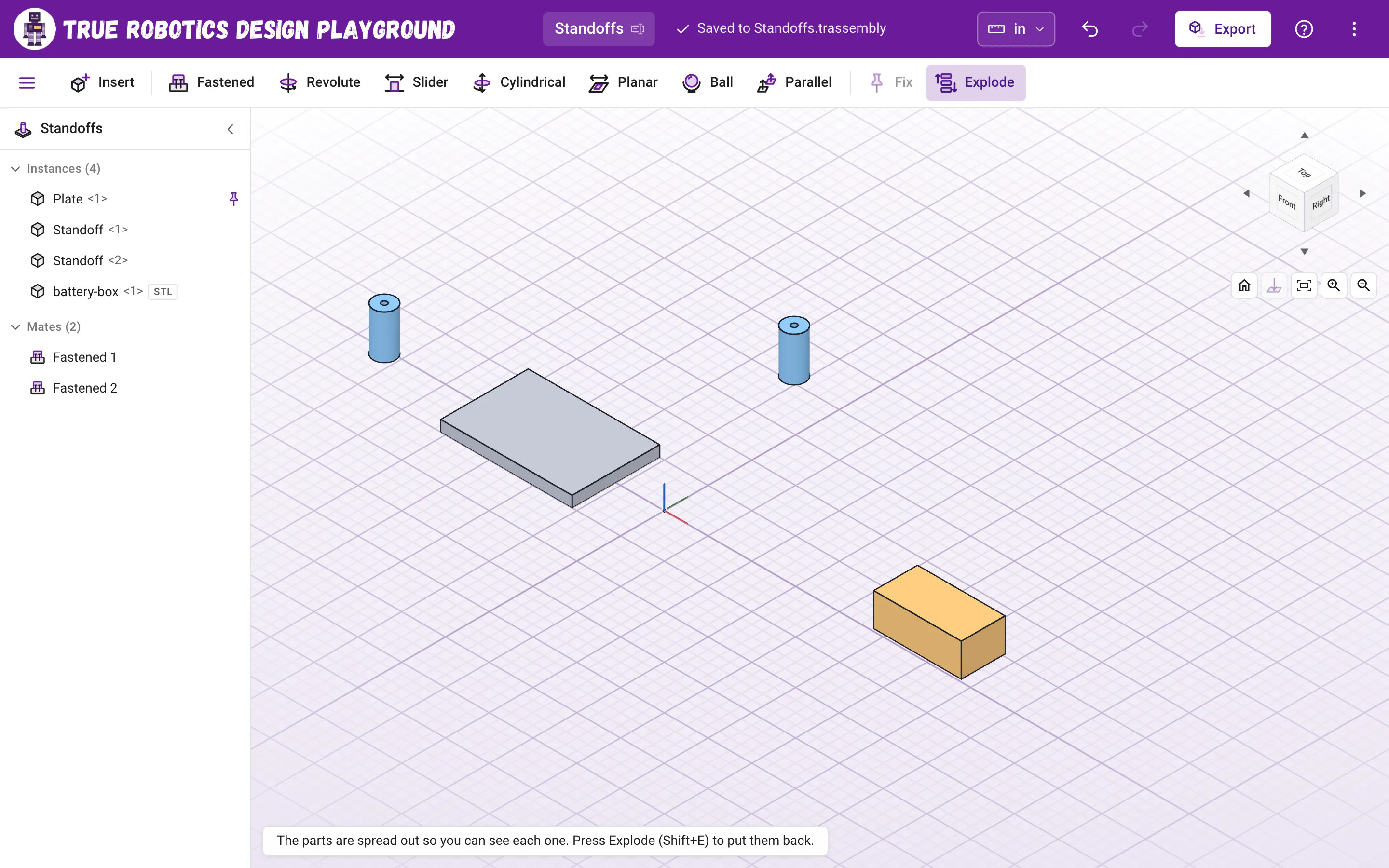
Undo, Redo, Export and the units sit in the purple bar, just like in a part. The number after a part's name tells copies apart: Standoff <1> and Standoff <2> are two copies of the Standoff part.
Why is my first part pinned?#
The first part you insert is fixed in place, shown by the pin in the list. A fixed part never moves, so the rest of the assembly has something solid to hold on to, the way a robot's chassis holds everything else. To fix another part, or to let a fixed one move again, select it and click Fix or Unfix in the toolbar (or press Shift+X), or click the pin on its row.
Tip: Keep one part fixed
If nothing is fixed, the whole assembly floats, and the app reminds you: Nothing is fixed in place now, so the whole assembly can move. Fix the biggest part, like the base plate, and mate everything else to it.
How do I see how my parts move?#
Drag a part in the view. It moves only the ways its mates allow, and parts mated to it come along. A wheel on a Revolute mate spins around its axle, and a part on a Slider mate slides along its line. Point at a part in the list to read how free it is, like It can still move one way. or Held in place by its mates.
What does Explode do?#
Click Explode (or press Shift+E) to spread the parts apart so you can see each one, which is great for showing how a build goes together. Click it again to put them back. Explode only changes the view; your mates and the export stay exactly as they are. With just one part in, there is nothing to spread apart, so Explode stays off and says Explode spreads parts apart, so add a second part first.
How do I rename, hide or remove a part?#
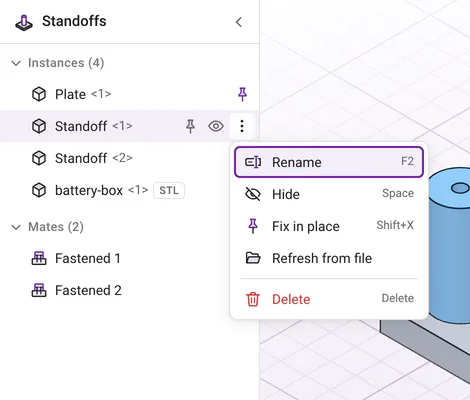
Point at a row in the list and click its three dots for its menu: Rename (F2), Hide or Show (Space), Fix in place, Refresh from file and Delete (Delete, or Backspace on a Chromebook). Mates have Edit, Rename, Suppress and Delete. Click the eye on a row to hide or show a part quickly.
I changed a part. How do I update the assembly?#
An assembly keeps its own copy of every part, so the file opens anywhere, even on another computer. When you change a part later, open its menu in the list and choose Refresh from file. Every copy of that part updates, the mates stay, and the parts move to keep them. A part you inserted from your saved projects refreshes from its newest saved version; a file from your computer is read again, and the browser may ask for your OK first.
How do assemblies save?#
Just like parts. With autosave on, every change saves to your .trassembly file, or in the browser in Safari, on iPads and in Firefox. Open Project lists assemblies with an Assembly badge, and Download a copy works the same way. Because the file carries a copy of every part inside it, you can hand one file to your teacher or a teammate and it opens complete. Projects and saving has the details.
Can I export an assembly?#
Yes. Click Export to save every part copy as STL for a 3D printer or STEP for another CAD program, all in one file in place, or a file for each part. Export STL and STEP shows how.
Which keys work in an assembly?#
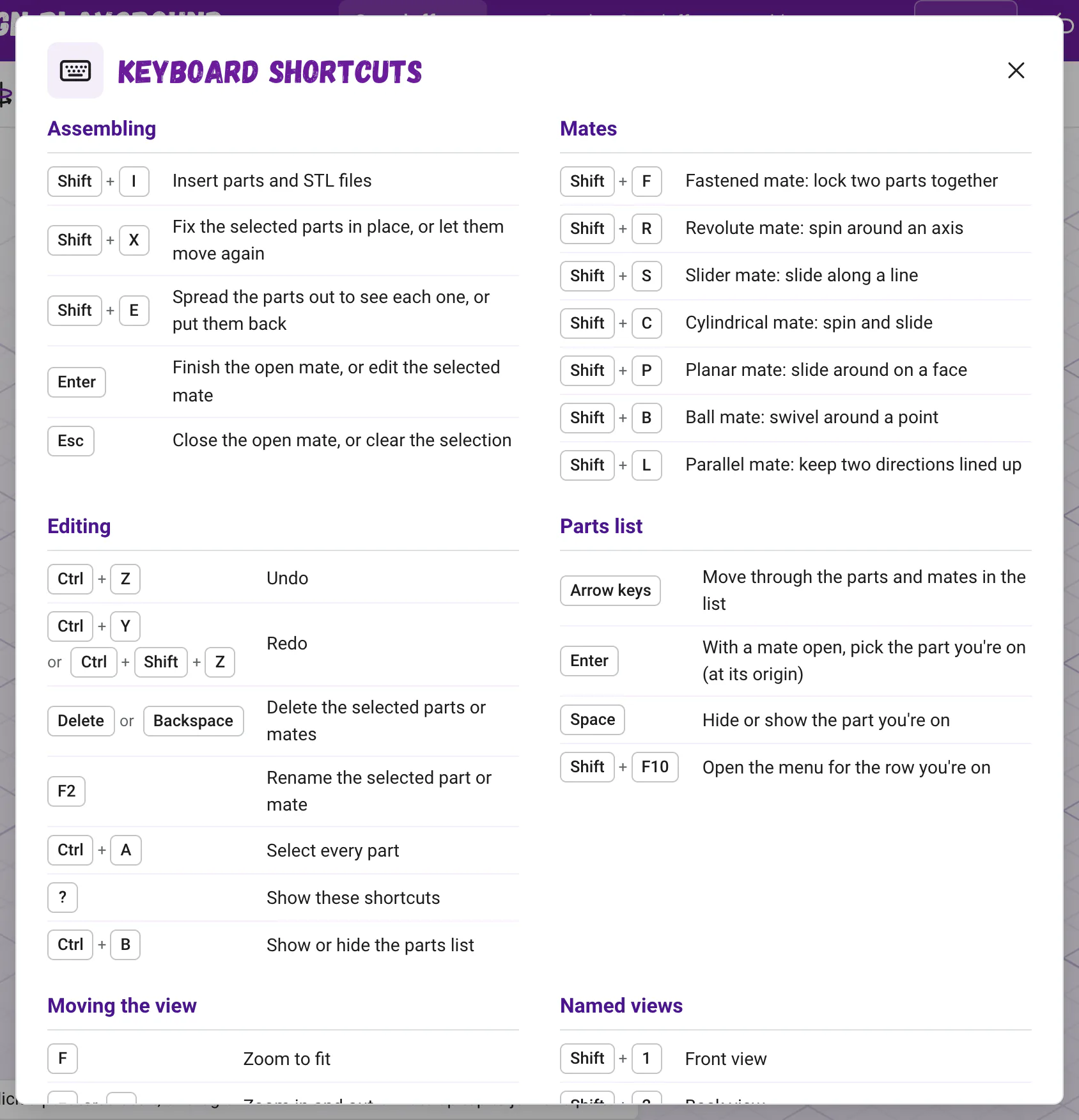
Press ? in an assembly to see its own keys. Shift+I inserts, each mate has Shift and a letter (like Shift+F for Fastened and Shift+R for Revolute), Shift+X fixes, Shift+E explodes, Enter finishes a mate and Esc closes it. The keyboard shortcuts page lists them all.
Good to know: Touch screens and phones
Assemblies work with a finger too: tap a part to select it, drag it to move it, and drag empty space to turn the view. On a phone, the Mate panel docks along the bottom of the screen.
Ready to try? The spinning wheel tutorial puts a wheel on an axle in about ten minutes. Happy building!
Questions and answers#
What is the difference between a part and an assembly?
A part is one object you design with shapes or sketches. An assembly puts several parts together and uses mates to say how they connect and move, like a wheel that spins on an axle.
Can I put an assembly inside another assembly?
Not yet. Insert the parts of the smaller assembly instead, and mate them in the bigger one.
Why can my whole assembly move when I drag it?
Nothing is fixed in place. Select the base part and click Fix, or press Shift and X, so the rest of the assembly has something to hold on to.
Does changing a part change my assembly?
Not on its own, because the assembly keeps its own copy of each part. Choose Refresh from file in the part's menu in the list, and every copy of it updates while the mates stay.